
The world is moving fast towards cryptocurrency, making mobile wallet security a big deal. Losing your whole portfolio to a single hack is now a real fear. The blockchain’s permanent nature means stolen money is almost impossible to get back.
Wallet apps often ask for access to your device’s features like storage and camera. Many users agree without knowing the risks. So, which permissions are okay, and which should make you worry?
Knowing about app permissions is key to keeping your digital money safe. In fact, 35% of wallet users worry most about security. Phishing scams have cost over $1.1 billion worldwide. Even apps that follow the rules can be risky if they ask for too much.
We’ll look into different permissions, the dangers of too much access, and the need for regular checks. Stay updated and make wise choices to guard your investments.
For more on app approvals, check out this guide. If you’re new to crypto wallets, learn about custodial vs. non-custodial options here.
Typical Permission Requests
It’s important to know what crypto apps ask for permission. These permissions help the app work right, but they also have risks. When you use a crypto wallet app, you should understand what each permission means.
Android apps run in a sandbox. This means they need to ask for permission to do more than basic things. Here are some common permission types:
| Permission Type | Description | Risk Level |
|---|---|---|
| Internal Storage | Access to files that are only accessible to the app. | Low |
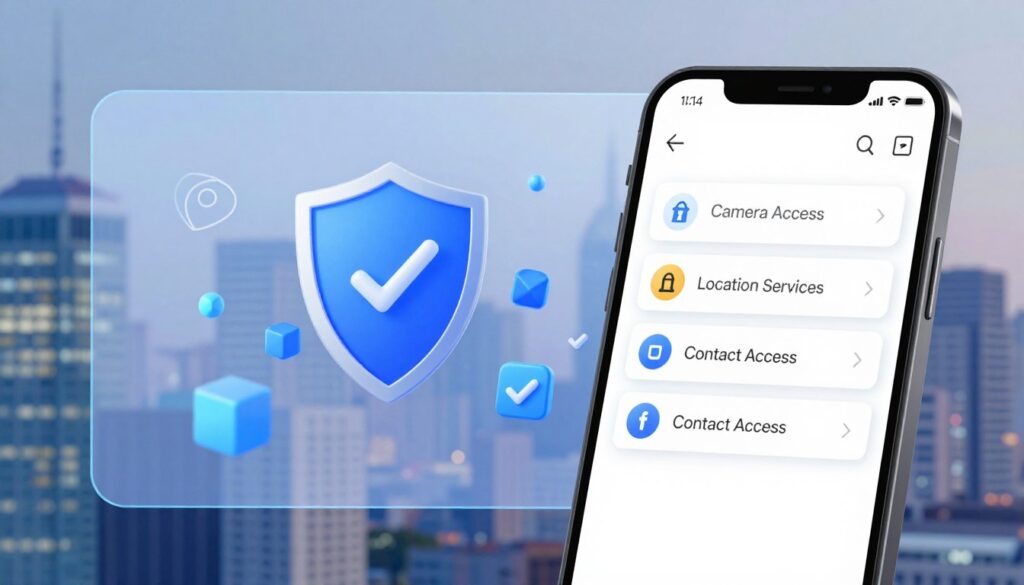
| External Storage | Access to files that are globally readable and writable. | High |
| Camera Access | Used for scanning QR codes for wallet addresses. | Medium |
| Network Access | Essential for blockchain connectivity. | High |
| Contact List Access | Should rarely be granted unless justified. | High |
Internal storage is safer because it’s only for the app. But, external storage can be accessed by other apps, which is riskier.
Camera permissions are needed for QR code scanning. While it’s a good reason, it can be risky if not secure. Always think twice before giving this permission.
Network access is key for blockchain use. But, it’s risky if the app is hacked. Always choose trusted apps.
Access to your contact list is rare and should be questioned. There’s usually no good reason for a crypto app to need it.
Biometric permissions, like fingerprint or facial recognition, can be secure. Using native APIs can make it even safer for users.
In short, be careful with the permissions you give to crypto apps. Limiting permissions can lower risks and improve security.
Dangers of Over-Permission
It’s important to know the dangers of over-permission in crypto apps to keep your assets safe. When you give too many permissions, you risk losing your money. One big threat is wallet drainers, tools that steal from your wallet.
Wallet drainers target permissions you give to apps. They use tricks like phishing to get you to give them access. Once they have access, they can take your money without asking.
These drainers can get into your wallet and take your money. They use smart contracts and other tricks to do this. It’s key to check your permissions often.
Permissions you give can stay active forever unless you cancel them. Even after you leave an app, the risk stays. A study in 2025 found over $1.1 billion lost to phishing, with wallet extensions being a big target.
It’s also important to know the difference between custodial and non-custodial wallets. Custodial wallets put the risk on the provider, while non-custodial puts it on you. Managing your permissions well is crucial for safety.
To keep your assets safe, follow these mobile security tips:
- Check and cancel permissions you don’t need.
- Be careful with unlimited token approvals.
- Choose trusted wallets and apps with good security.
| Risk Type | Description | Percentage of Attacks |
|---|---|---|
| Phishing | Tricking users into revealing sensitive information | Over 50% |
| Ransomware | Malware that locks users out of their wallets | 20% |
| SIM Swapping | Taking control of a user’s phone number | 15% |
In short, over-permission is a real risk that can lead to losing your money. By understanding these dangers and taking steps to protect yourself, you can keep your investments safe. For more tips on avoiding scams, see this guide on common crypto scams.
Settings for Android/iOS Security
Keeping your crypto apps safe on Android and iOS is key to protecting your digital assets. Both platforms have settings to boost security when using crypto apps. By managing app permissions, you can lower risks of unauthorized access to your data.
Android has built-in security features to reduce app security issues. It uses an application sandbox to keep data safe and has strong cryptography and permissions. The Play Integrity API checks if interactions are real and from a genuine app.
To manage app permissions on Android, follow these steps:
- Open the Settings app.
- Navigate to “Apps” or “Applications.”
- Select the app you want to review.
- Tap on “Permissions” to see what access the app has.
- Revoke any permissions that seem unnecessary.
iOS also has a framework for privacy settings. The App Tracking Transparency feature lets users control data tracking. Each app has its own permission settings, so you can choose what access to give.
Both Android and iOS support biometric authentication like fingerprint scans and facial recognition. Turning on these features adds more security, especially for financial apps. Make sure to activate these settings to protect your crypto transactions.
Network security is also important. Always use HTTPS when accessing crypto apps. This is because mobile devices often connect to unsecured networks like public Wi-Fi. Without a VPN, your sensitive information can be at risk.
Lastly, be careful with data storage. Sensitive wallet data should never be stored on external SD cards or shared cloud storage. Always check that your apps use internal, sandboxed storage to keep your information safe.
| Platform | Security Feature | Benefit |
|---|---|---|
| Android | Play Integrity API | Verifies app authenticity |
| iOS | App Tracking Transparency | Controls data tracking |
| Both | Biometric Authentication | Enhances transaction security |
Regular Audits & App Updates
Keeping your crypto wallet safe is a constant job. It’s key to check app permissions often. Use tools like Revoke.cash or Etherscan’s Token Approval Checker to do this.
These tools help you see if your wallet has active token approvals. You can also cancel any permissions you don’t need. Connecting Trust Wallet with these tools is easy with WalletConnect.
Always only approve the amount you need for token transactions. This helps keep your wallet safe. Also, make sure to update your apps regularly.
Developers fix security issues in their apps all the time. But, using old versions can put your wallet at risk.
A study found many Android crypto wallets have big security problems. Issues include bad permission handling and malware. Using Multi-Factor Authentication (MFA) can really help keep your wallet safe.
Wallets with MFA are 62% less likely to be hacked. So, it’s smart to use it.
Remember to check your app permissions every month. Don’t see app updates as a hassle. In the fast world of crypto, missing something small can cost a lot. Stay alert with your permissions and updates to keep your money safe.